Sidecar
Endpoint
A sidecar process beside each coding agent, on a laptop, CI runner or cloud session. Read-only, never in the agent's path.
 stacktrace
 Backed by Combinator
Stacktrace Fleet
See what every coding agent does, in every environment, and stop the unsafe actions as they happen.
Know what actually ran.
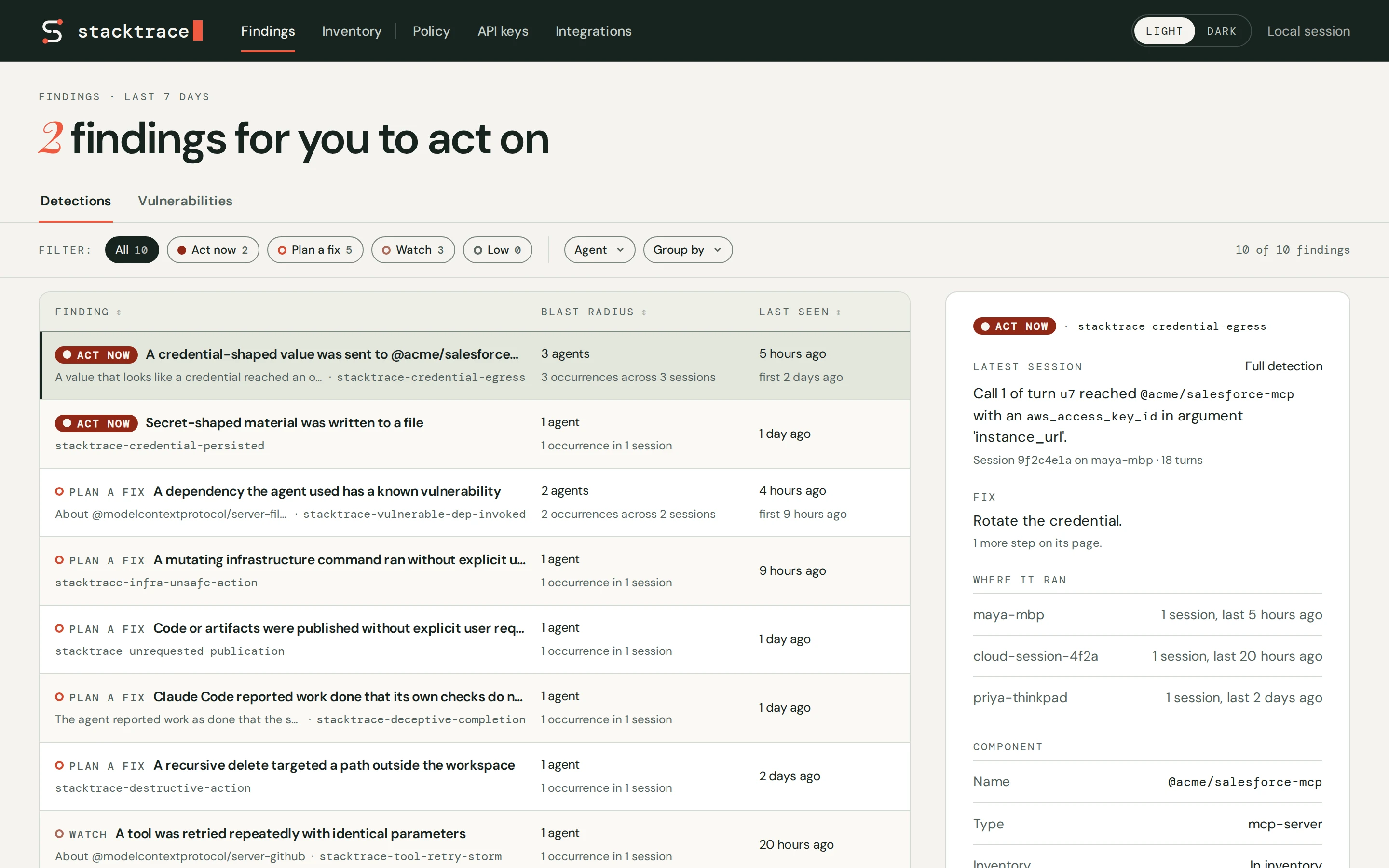
See each tool call your agents make, what came back, and which skill, MCP server, plugin or hook made it.
Stacktrace knows a component wherever it runs. When one causes trouble, you see every other environment and agent that uses it.
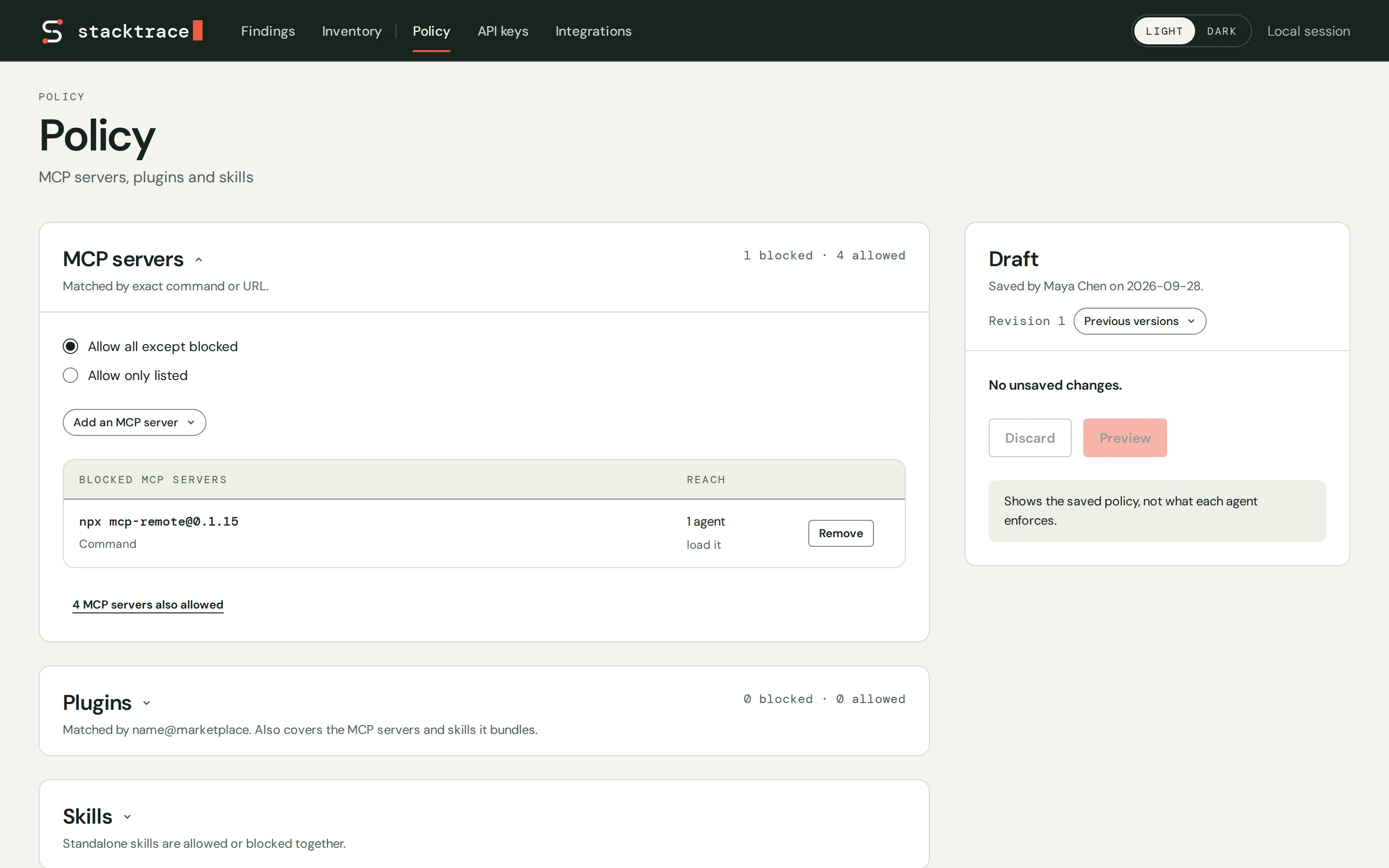
Set the limits ahead of time.
One policy for every agent: allow a component, block it, or require approval before a consequential action.
Write it once and enforce it across local and remote agents.
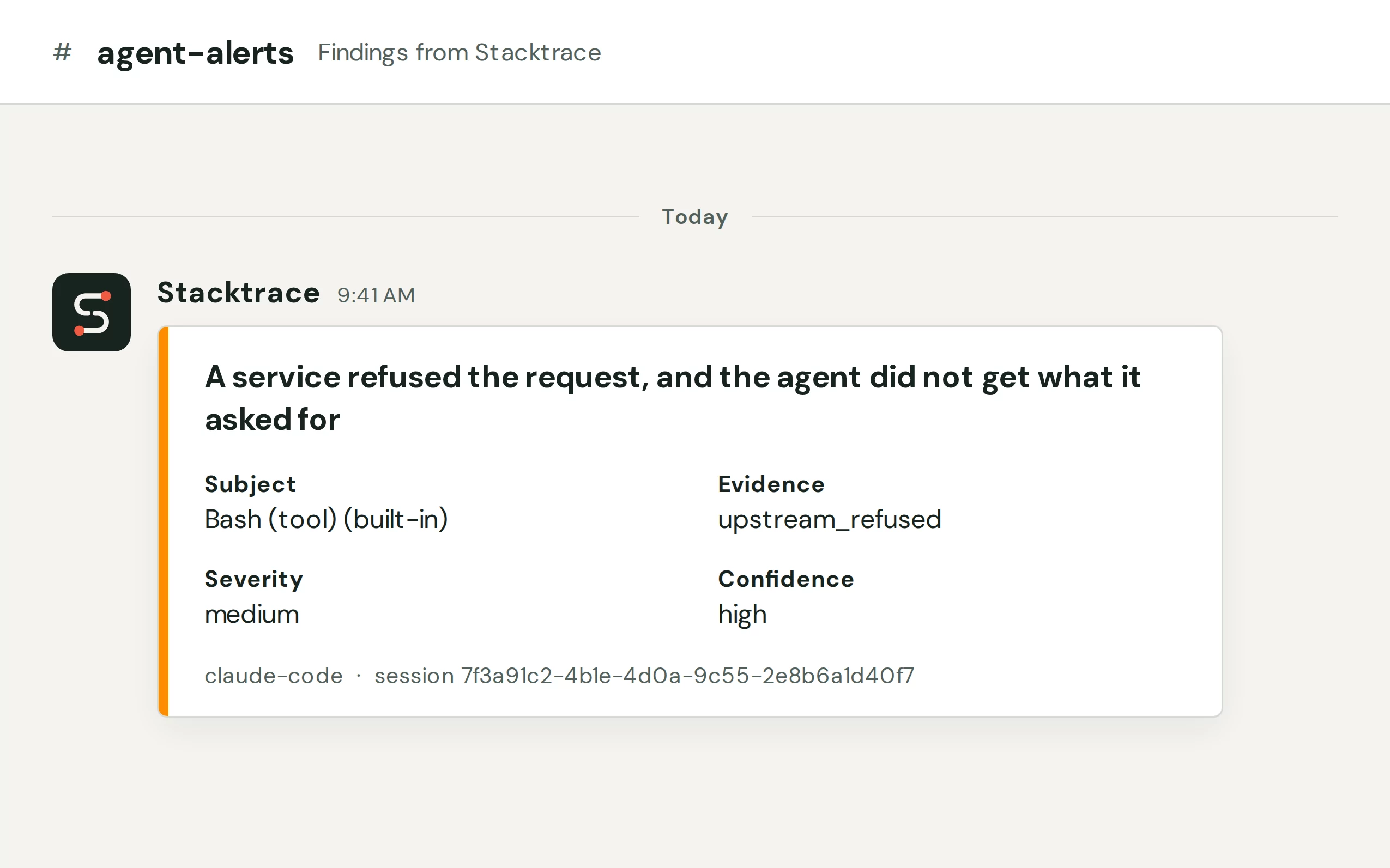
Real-time alerts.
A finding reaches Slack or Claude Code while the agent is still running, with the evidence and the fix.
Coming soon Steer agents dynamically.
Sidecar
A sidecar process beside each coding agent, on a laptop, CI runner or cloud session. Read-only, never in the agent's path.
Open-source LiteLLM · Envoy
Runs inside the gateway you already operate, and stops a dangerous call before the agent runs it.
Fleet gets findings and inventory, never transcripts or tool output.
A rule ships only once its findings get acted on.
The sidecar reads sessions read-only. Only the gateway sits inline, so it can stop a call.
Every finding cites its rule, the evidence and a fix. Every rule, with what fires it →
stacktrace-tool-retry-storm The same tool call, with identical arguments, failed three or more times in a row stacktrace-blocked-policy The auto-mode safety check refused an action and will refuse that kind for the rest of the session stacktrace-blocked-throttled The model provider throttled requests with a 429 or 529, and the agent may not return to the lost work stacktrace-blocked-upstream A service refused a request with a 401 or 403, and the agent moved on without the result stacktrace-blocked-quota The account hit its spend or usage limit, and model calls stop until it resets stacktrace-destructive-action An rm -rf targeted a path outside the workspace stacktrace-credential-egress A credential-shaped value appeared in the arguments of an outbound tool call stacktrace-credential-persisted The agent wrote a secret-shaped value to a file stacktrace-vulnerable-dep-invoked A tool call reached a component with a known advisory stacktrace-mcp-transient-failure An MCP server failed authentication, then a later call to it succeeded Stacktrace reads the session files AI coding agents write and checks each session against detection rules. Findings go to a local console, to Slack and into the running Claude Code session. On Team, Fleet shows the findings and inventory of every agent an org runs and serves one policy to all of them.
Claude Code, in local sessions and in cloud sessions. Devin and Codex are in preview.
No. Transcripts and tool output are read in the environment where the agent runs, and Fleet receives findings and inventory with no conversation text.
Stacktrace checks sessions against 10 rules in the reliability, operations and security families, listed above. Examples are stacktrace-credential-egress for a credential in an outbound tool call and stacktrace-tool-retry-storm for a tool call that failed three or more times in a row. The stacktrace-kube-* and stacktrace-aws-* rules and the cost rules are coming soon.
Paste this prompt into Claude Code: "Read https://stacktrace.ai/setup/individual.md and follow it to set up Stacktrace in this environment." The agent runs the installer, starts the daemon and adds the Claude Code plugin.
The local sidecar is free, with no account. Team is free too, always: unlimited users, up to 100 agents and 200 session-hours a month. Beyond that, Enterprise is custom and billed annually; book a demo at stacktrace.ai/demo.
Free for your team. Findings in Slack or Claude Code while the agent is still running.